Skip to content
Server Setup

Server Setup

  • All Articles
  • App
  • C++
  • Coding
  • More
    • Hardware
    • Keyboard
    • Microsoft Office
    • MYSQL
    • Operating System
    • Outlook
    • PowerPoint
    • Review
    • Software
    • Tip & Trick
    • Troubleshooting
    • Windows

Operating System — Page 4

SQL Server 2012: Temp Tables vs Table Variables Explained

October 9, 2026 by Vivian Tremblay
SQL Server 2012: Temp Tables vs Table Variables Explained

Table variables in SQL Server 2012 are like lightweight workbenches for your stored procedures—fast, contained, and perfect for small-scale operations. 💡 I still remember debugging a client's inventory system where a…
Read more

Categories Operating System

Visual Studio 2013 Remote Debugging Download: Standalone Package for Legacy System Support

October 11, 2026 by Vivian Tremblay
Visual Studio 2013 Remote Debugging Download: Standalone Package for Legacy System Support

Downloading the Visual Studio 2013 remote debugging tools is your lifeline when troubleshooting apps on legacy systems—but the official package can be hard to track down. If you’ve ever spent hours hunting for the right…

Read more

Categories Operating System

What Does Connection to the Server Failed Mean: Root Causes And Fixes For Stubborn Errors

October 10, 2026 by Vivian Tremblay
What Does Connection to the Server Failed Mean: Root Causes And Fixes For Stubborn Errors

"Connection to the server failed" is the digital equivalent of a dead-end street sign—it means your device tried to reach a remote service but hit a wall. 💻 I’ve seen this error pop up in everything from Outlook to FTP…

Read more

Categories Operating System

What Is A Computer Firewall

November 21, 2026 by Vivian Tremblay
What Is A Computer Firewall

💥 Quick Answer A computer firewall is a security system that monitors and controls incoming and outgoing network traffic based on predetermined security rules, blocking unauthorized access and protecting your data from…

Read more

Categories Operating System

When To Get A New Computer

November 21, 2026 by Vivian Tremblay
When To Get A New Computer

💥 Quick Answer You should consider getting a new computer when your current PC struggles with everyday tasks, can't run modern software, or crashes frequently. Watch for warning signs like slow processing speeds…

Read more

Categories Operating System

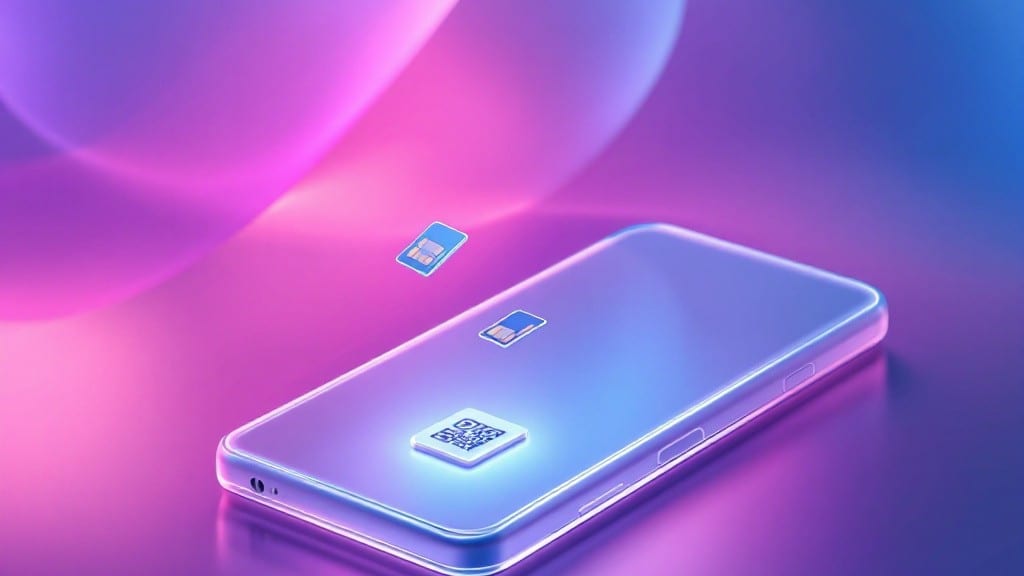
Where to Find Carrier QR Code: Hidden Locations in Your Device Settings

November 23, 2026 by Vivian Tremblay
Where to Find Carrier QR Code: Hidden Locations in Your Device Settings

💥 Quick Answer To find a carrier QR code, check your phone’s SIM settings, carrier app, or scan the physical sticker in your device box. Android users navigate to Settings > SIM Manager or their carrier’s app, while…

Read more

Categories Operating System

Why Did I Receive A Google Verification Code

November 21, 2026 by Vivian Tremblay
Why Did I Receive A Google Verification Code

💥 Quick Answer Receiving a Google verification code means your account triggered a security check, likely from a login attempt, password reset, or third-party app access request. Google uses these codes to verify your…

Read more

Categories Operating System
Page1Page2Page3Page4

About Me

Vivian Tremblay

Vivian Tremblay
My first computer was a clunky desktop my dad built from spare parts in the early 2000s, and I spent hours tinkering with it—mostly just crashing the system until he’d yell from the other room, 'Not again!' Those early mistakes taught me more than any manual ever could. Now, I run this site to help others avoid the same headaches, whether it’s troubleshooting a stubborn PC or mastering a new piece of software. Every tutorial here is built on the same principle: clear, practical advice that actually works.

Learn more

Recent Posts

  • Check Cipher Suites in Windows Server 2012 R2: Command-Line Method for SSL/TLS Security Audit
    Check Cipher Suites in Windows Server 2012 R2: Command-Line Method for SSL/TLS Security Audit
  • Microsoft Wireless Display Adapter App Download Without Store: Direct Offline Installer for Legacy Systems Without Store Access
    Microsoft Wireless Display Adapter App Download Without Store: Direct Offline Installer for Legacy Systems Without Store Access
  • Windows Server Backup Bare Metal Restore: Step-by-Step Recovery for Complete System Revival
    Windows Server Backup Bare Metal Restore: Step-by-Step Recovery for Complete System Revival
  • Windows Server 2019 Upgrade 1809 To 20H2: Zero-Downtime Migration Path Explained
    Windows Server 2019 Upgrade 1809 To 20H2: Zero-Downtime Migration Path Explained
  • Microsoft SQL Server Management Studio 11.0.5058.0: Legacy Fixes for Missing Features and Errors
    Microsoft SQL Server Management Studio 11.0.5058.0: Legacy Fixes for Missing Features and Errors
  • All Guides
  • About
  • Contact
  • Privacy Policy
  • Cookie Policy
  • Terms of Use
© 2026 serversetup.website